Blog / · 5 min read
How to bulk upload ad creatives to Facebook without Ads Manager
Veikka Grundström Founder, upload.ad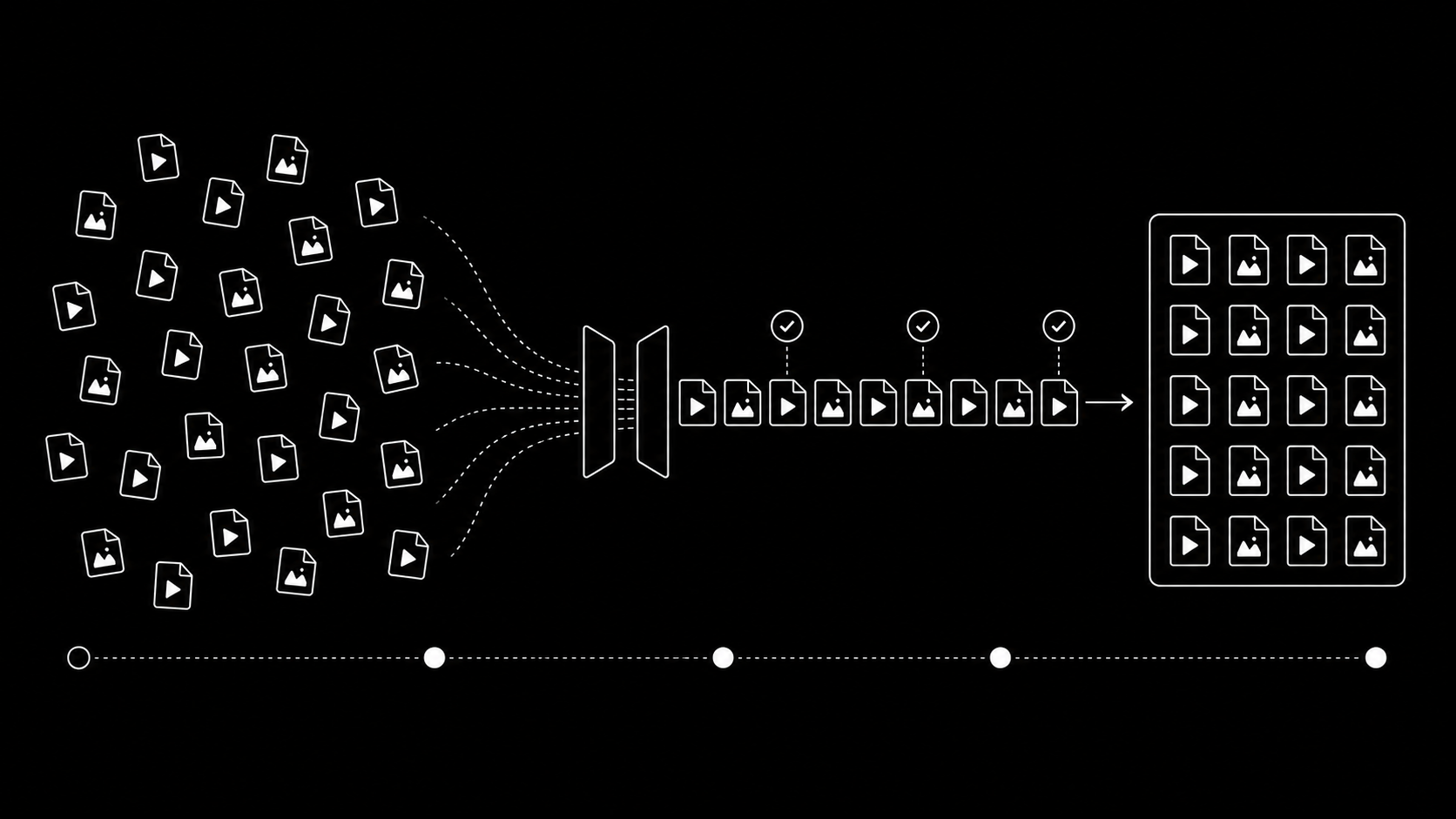
On this page
If you run creative testing at any real volume, uploading is the dumbest part of your week. The files are done, the naming is done, the campaign structure is planned, and you still lose an hour clicking through Ads Manager one creative at a time.
This guide covers the three ways to bulk upload ad creatives to a Meta ad account, where each one breaks, and how to get a 100-file batch live in minutes instead of an afternoon.
Why Ads Manager breaks at volume
Ads Manager was built for editing campaigns, not for moving files. Uploading creatives through it means:
- One file at a time in practice. The media library technically accepts multi-select, but large batches stall, time out, or silently drop files, and you only find out when an ad has no creative attached.
- No queue and no retries. If upload 37 of 60 fails, nothing retries it. You re-drag it, wait, and hope.
- Browser babysitting. Close the tab and the upload dies. A 60-video batch means a browser window you cannot touch for an hour.
- Random errors at scale. The more files you push, the more often you meet the spinner, the generic "Something went wrong", and creatives stuck in a processing state.
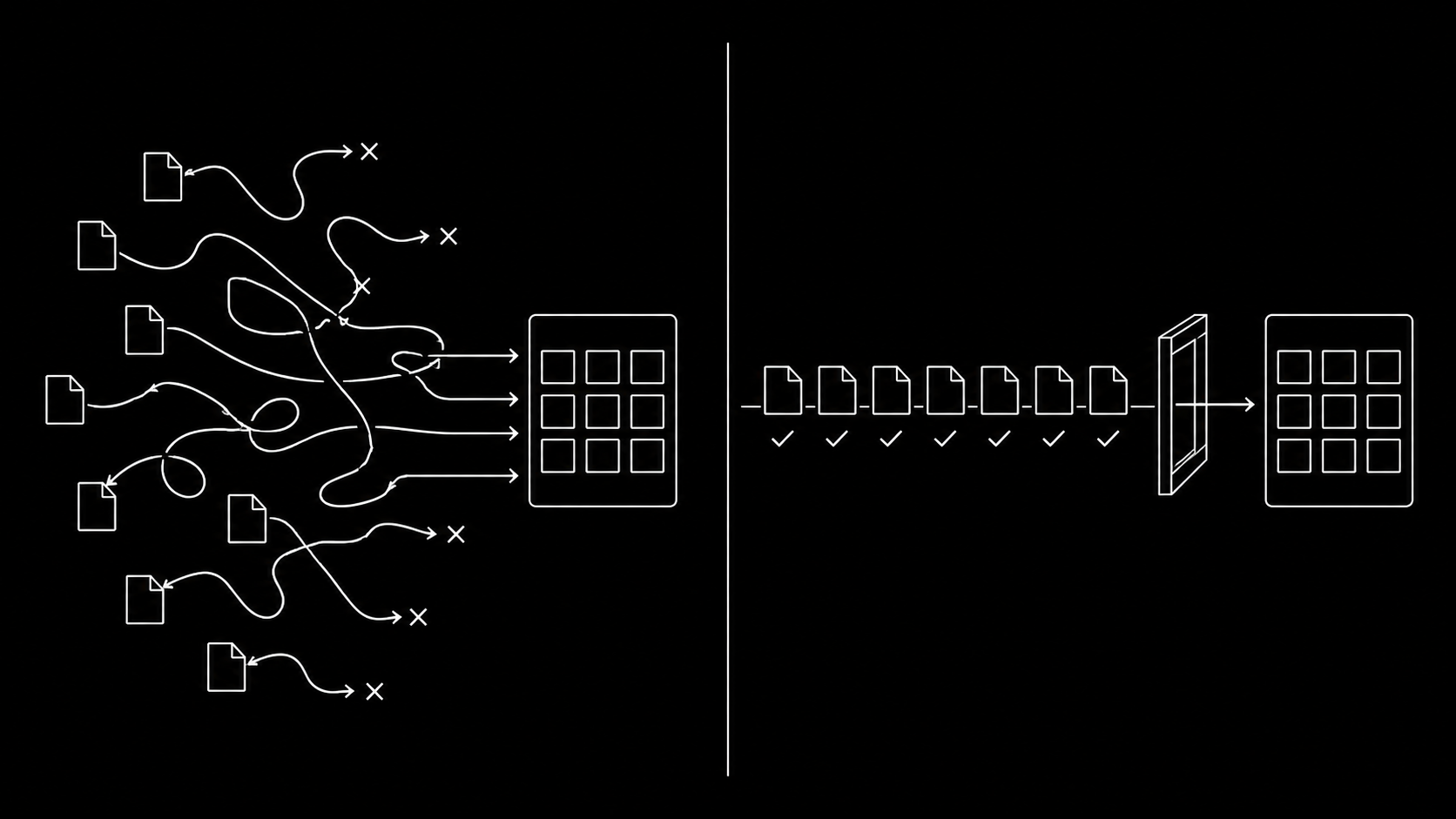
For 5 creatives this is annoying. For the 50 to 200 weekly variations a creative testing program produces, it is a real cost: media buyers routinely spend 3 to 5 hours a week just moving files.
The three ways to bulk upload to Meta
1. Ads Manager bulk import (spreadsheets)
Meta supports importing ads via Excel: you export a template, fill in one row per ad, and paste it back. This works for launching many ads, but the creatives still have to exist in your account first, so it does not solve the upload problem. It also breaks easily: one malformed cell and the whole import fails validation.
Best for: teams already living in spreadsheets who launch simple, repetitive structures.
2. The Marketing API directly
Everything in Ads Manager sits on the Meta Marketing API, and the API accepts image and video uploads natively (adimages and advideos endpoints). With a developer on hand you can script uploads end to end.
The catch is everything around the request:
- Access tokens and app review. You need a Meta app, the right permissions, and token refresh handling.
- Rate limits. Meta throttles per ad account. Naive scripts that fire uploads in a loop get blocked mid-batch. We wrote a full breakdown in Facebook Marketing API rate limits, explained.
- Chunked video uploads. Videos above a certain size must be uploaded in chunks with session handling and status polling.
- Failure handling. You need per-file state, retries with backoff, and a way to see what actually made it.
Best for: engineering-heavy teams who want full control and can maintain the integration.
3. A purpose-built bulk uploader
This is the category upload.ad exists in. You drag the entire batch of images and videos into the browser, press upload, and a server-side queue delivers every file to your ad account through the official Marketing API:
- Each file is its own tracked job with live status, so a failed file retries or reports its reason while the rest of the batch continues.
- The queue reads Meta's rate limit headers on every response and paces itself, so your account never trips a throttle.
- Uploads run server-side. You can close the tab and come back to a finished batch.
- The same flow covers TikTok, so one drop reaches both ad accounts.
Best for: media buyers, agencies, and creative teams shipping high weekly volume without wanting to maintain API code.
Quick comparison
| Spreadsheet import | Marketing API (DIY) | upload.ad | |
|---|---|---|---|
| Uploads media files | No | Yes | Yes |
| Setup effort | Low | High (dev work) | Minutes |
| Rate limit handling | n/a | You build it | Automatic |
| Per-file retries and status | No | You build it | Built in |
| Runs after you close the tab | No | Depends | Yes |
| TikTok support | No | Separate API | Same batch |
What a good bulk upload workflow looks like
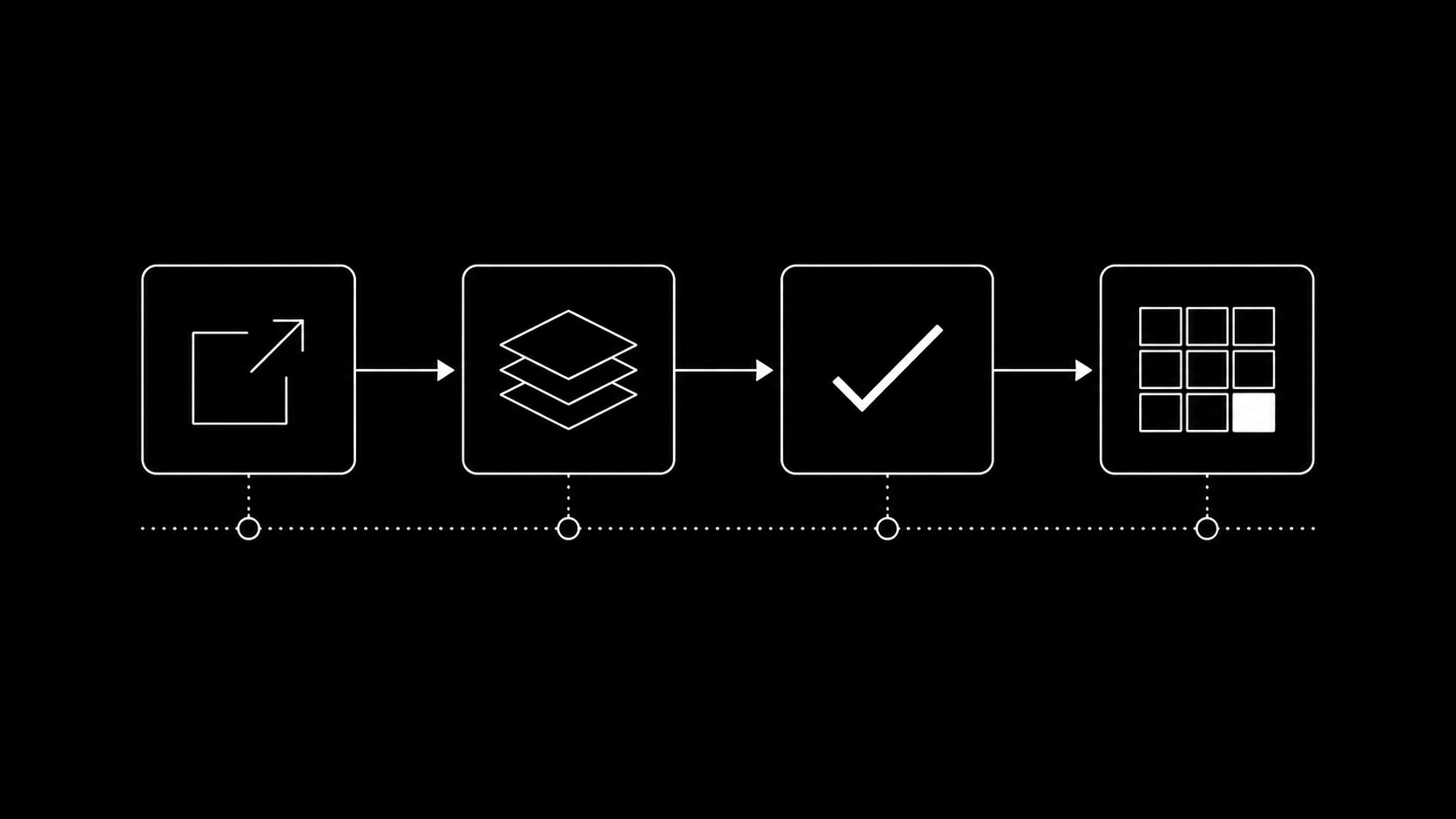
Whatever tool you use, the teams that ship fast converge on the same pattern:
- Export once, in final specs. Feed, Stories, and Reels crops exported from the editor in one pass, named consistently (see our creative testing framework for a naming convention that survives reporting).
- Upload as one batch. No drip-feeding files across the day. One drop, one queue, one confirmation that everything landed.
- Verify before launch. Check the per-file results, not the absence of error toasts. Anything rejected gets fixed while the campaign is still in draft.
- Attach from the library. Build ads against creatives that are already in the account, so launch day is assembly, not uploading.
Frequently asked questions
Can I bulk upload videos to Facebook ads?
Yes. The Marketing API accepts video uploads (MP4 and MOV), and tools built on it, including upload.ad, handle the chunked upload sessions Meta requires for larger files. Ads Manager itself is the least reliable path for video batches.
Is bulk uploading against Meta's terms?
No. Uploading through the Marketing API is exactly what the API is for. What matters is respecting the rate limits Meta enforces per ad account, which a well-built queue does automatically.
How long does a 100-creative batch take?
Depends on file sizes and your account's current rate limit headroom. As a reference point, a mixed batch of 100 images and short videos typically completes in minutes when uploads are queued and paced correctly, versus an hour or more of manual clicking.
Does this work for TikTok too?
The spreadsheet and Ads Manager paths are Meta-only. upload.ad delivers the same batch to Meta and TikTok ad accounts; if you buy on both, see our TikTok creative specs guide so one export pass covers both platforms.
Ready to stop uploading files one by one? Start a free trial and push your next batch through a queue instead.
Veikka Grundström, Founder
I build upload.ad, the creative library and review workflow media buying teams use to get ads from edit to live on Meta and TikTok. I write about the parts of that job that waste the most time: creative testing, platform specs, review approvals, and the API behaviour nobody documents properly.