Blog / · 6 min read
Meta partnership ads: ad codes, permissions, and setup
 Veikka Grundström Founder, upload.ad
On this page
You paid a creator for a video, it did well on their feed, and now you want to put budget behind it. The usual route of downloading the file and running it from your brand page throws away the one thing that made it work: it no longer looks like it came from a person. Meta partnership ads fix that by running the ad from both accounts at once.
Here is how they work, how permissions and ad codes fit in, and how to set one up.
What Meta partnership ads are
Partnership ads are ads that show two identities in the header: the brand and a partner, usually a creator, and sometimes another business. They carry a "Paid partnership" label. Until 2023 Meta called them branded content ads, and you will still see that name in older guides and in some API fields.
Meta says the ad uses signals from both accounts for ranking, so the creator's audience relationship and the brand's ad history both feed delivery. The format runs across Facebook and Instagram and supports most normal ad features, including Advantage+ creative, catalog ads, lead forms and click-to-message.
Partnership ads are a Meta format. TikTok's closest equivalent is Spark Ads, which run a creator's post from their account using an authorization code.
How permissions work
A partnership ad only delivers once the partner has granted permission. There are two levels:
| Permission level | How it is granted | What the brand can do | Best for |
|---|---|---|---|
| Account-level | Brand sends a request, creator approves once | Run partnership ads with that creator on an ongoing basis without asking per post | Ongoing creator programs and retainers |
| Post-level with an ad code | Creator generates a partnership ad code for one post and shares it | Boost that specific post as an ad | One-off deals, agencies working across many creators |
| Post-level request | Brand asks to promote an organic branded content post the creator tagged them in | Boost that tagged post | Creators who already published with the paid partnership label |
Two details save a lot of confusion:
- An ad published before permission exists sits pending while Meta sends the creator a request, and delivers once they approve.
- If both accounts belong to the same business and the person building the ad has ads access to both, no partnership permission is needed at all.
Partnership ad codes
An ad code is the quickest way to get permission for a single post. The creator turns on partnership ad codes in their settings (under the partnership label and ads options on Instagram), opens the post, and copies its code. The brand pastes that code into Ads Manager when building the ad.
Things to know about codes:
- Codes exist for both Instagram and Facebook. An Instagram code points at an Instagram post and a Facebook code points at a Facebook post. Make sure you ask for the one that matches where the post lives.
- The post has to exist first. A code is tied to published content, so the creator publishes, then generates the code.
- The creator stays in control. They can turn off a code, which stops the brand from creating new ads with it. Agree on a usage period in the contract rather than relying on the code itself to expire.
- Codes are fragile. A typo gives a vague error, so have creators paste codes, never retype them.
Format support varies. Reels, feed videos, images and carousels are commonly used, but not every placement is offered for every post, so check the preview before promising a client a placement.
Creator identity vs brand identity
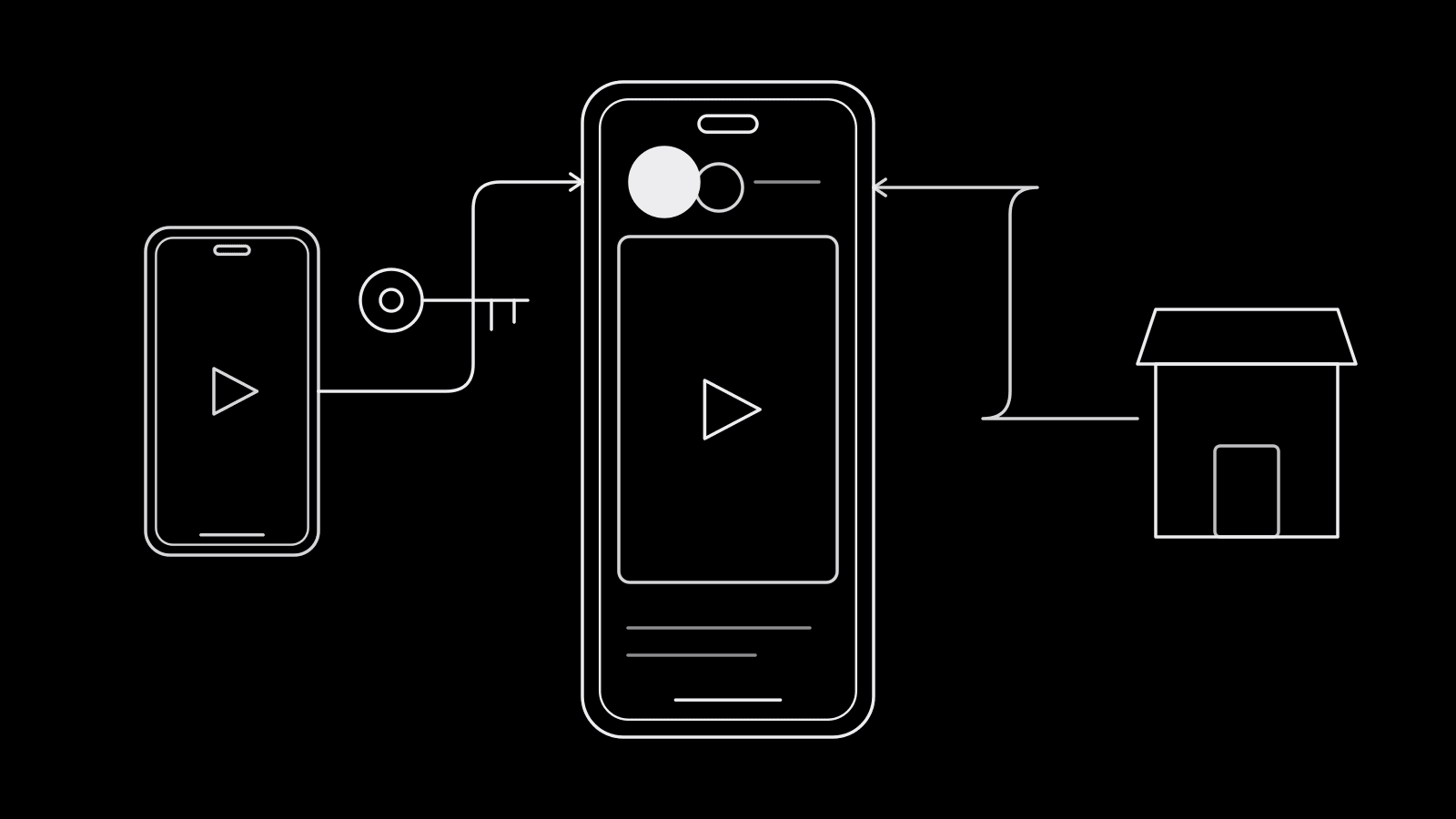
When you build the ad you choose whose identity is primary. The primary account appears first in the header, and the other appears as the partner.
- Creator as primary reads like a recommendation from a person. It fits UGC-style videos, reviews, unboxings and anything where the creator's face and voice carry the message. This is the usual choice for prospecting.
- Brand as primary reads like a brand ad endorsed by a creator. It suits catalog ads, offers and sales messaging where the brand name is the reason to click.
Either way, the destination is the brand's. With account-level permission you can also run new creative, such as edits of the creator's footage, under the partnership identity instead of only boosting existing posts. What you may do with their footage is a contract question as much as a platform one.
When partnership ads perform
They help when the creator adds something the brand account cannot:
- Prospecting with UGC. Cold audiences scroll past brand ads faster than past a person. If you already run UGC ads, testing the same asset as a partnership ad is the natural next step.
- Creators with a real audience overlap. A creator whose followers are close to your buyers gives the ad a warm start.
- Testimonials and reviews. Claims land differently from a third party, as long as they follow Meta's branded content policies and your local disclosure rules (the FTC in the US).
- Launches. Several creators running launch videos at once spread one message through several trusted voices.
Judge them like any other ad: same attribution setting, same goal, side by side with the brand-identity version of the same asset. The creative testing framework applies unchanged.
How to set up a partnership ad
- Check eligibility. The creator needs an Instagram professional account or a Facebook profile or Page that meets Meta's partnership ad eligibility rules. The brand needs its Facebook Page and Instagram account connected to the ad account in its business portfolio.
- Agree terms in writing: usage period, which posts, and whether you can edit footage or run new creative under their handle.
- Get permission: request account-level access for ongoing work, or ask for an ad code per post.
- Build the ad in Ads Manager. At the ad level, turn on partnership ad, add the partner (or enter the ad code), pick the primary identity, and add your destination link or lead form.
- Preview every placement, confirm the paid partnership label shows, then publish.
- Name it so you can find it later. A partner field in your ad naming conventions makes creator-level reporting a filter rather than a spreadsheet job.
Frequently asked questions
What is the difference between partnership ads and branded content ads?
They are the same format. Meta renamed branded content ads to partnership ads in 2023. The ad runs with both the brand and the partner in the header and a paid partnership label.
How do I get a partnership ad code from a creator?
Ask the creator to turn on partnership ad codes in their account settings, open the post you want to promote, and copy its partnership ad code. They send it to you, and you paste it into Ads Manager at the ad level when you create a partnership ad.
Do creators need to approve every partnership ad?
Not with account-level permission, which lets the brand run partnership ads with that creator on an ongoing basis. Without it, each post needs an ad code or an approved request, and an ad published without permission waits in a pending state until the creator approves.
Are partnership ads better than regular Meta ads?
They often help with prospecting and UGC-style creative because the ad comes from a person as well as the brand, but results vary by creator and offer. Test the partnership version against the brand-only version of the same asset before scaling.
Partnership ads mean more assets, more partners and more approvals to track. upload.ad keeps creator content, reviews and versions in one library and moves the approved ones into your ad accounts. Start free.
Veikka Grundström, Founder
I build upload.ad, the creative library and review workflow media buying teams use to get ads from edit to live on Meta and TikTok. I write about the parts of that job that waste the most time: creative testing, platform specs, review approvals, and the API behaviour nobody documents properly.